When buying a laptop desktop computer or external storage drive many people search for SSD vs HDD because they want to know which storage option is better. Both SSD and HDD are used to store files apps photos videos games and the operating system but they work in different ways.
HDD is an older storage drive. It uses spinning disks and a moving arm to read and write data. SSD is a new and fast storage drive. It uses flash memory and has no moving parts
The best choice depends on your need. If you want fast speed smooth performance and quick loading then SSD is the better option. If you want more storage at a lower price then HDD is a good choice. Many people use both. They keep Windows apps and games on SSD and use HDD for large files videos and backups.
In this SSD vs HDD guide you will learn the main difference between both storage drives their pros and cons speed comparison best uses and which one is better for you.
What Is an SSD?
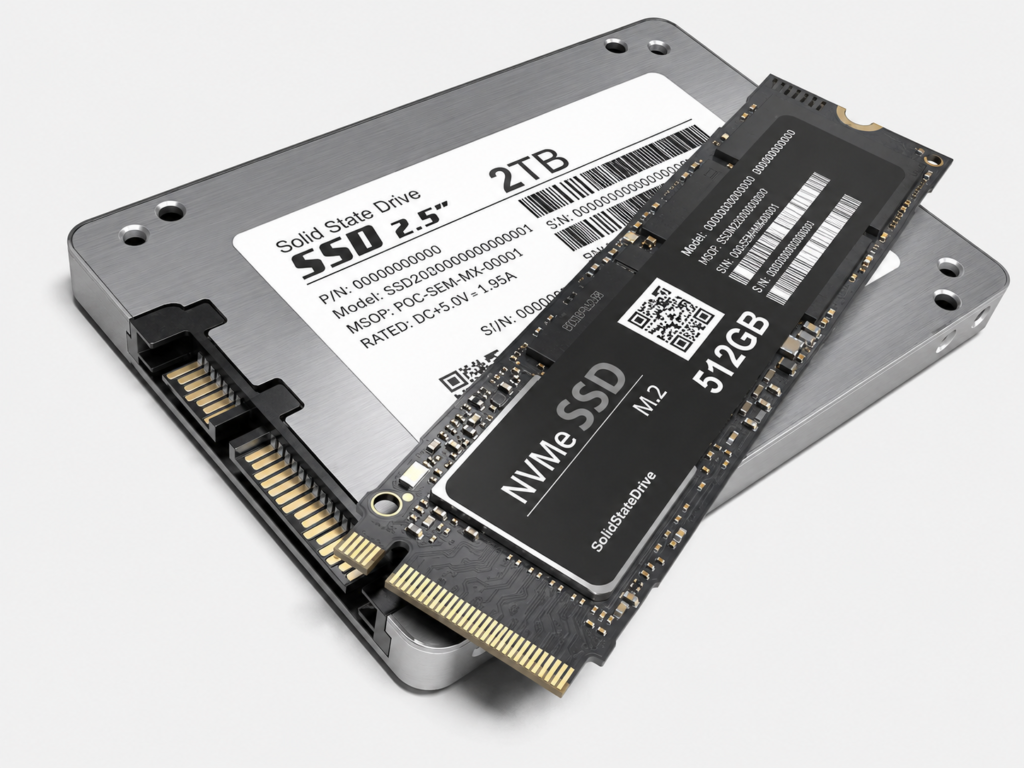
SSD stand for Solid State Drive. It is a modern storage drive that stores data using flash memory.
This technology is also used in USB drives and memory cards but SSDs are much faster and stronger.
The main advantage of an SSD is speed.Computer with an SSD can start quickly. It can open apps faster. It can copy file faster and it feels smoother in daily use.
An SSD does not have a spinning disk or move arm. That is why it works silently. It is also light and can handle small drops or movement better than an HDD. This makes SSD a good choice for laptops students office work gaming and professional use.
There are many types of SSDs.Most common type are SATA SSD and NVMe SSD. SATA SSD is fast and budget friendly. NVMe SSD is even faster and is mostly use in modern laptops and gaming PCs.
What Is an HDD?
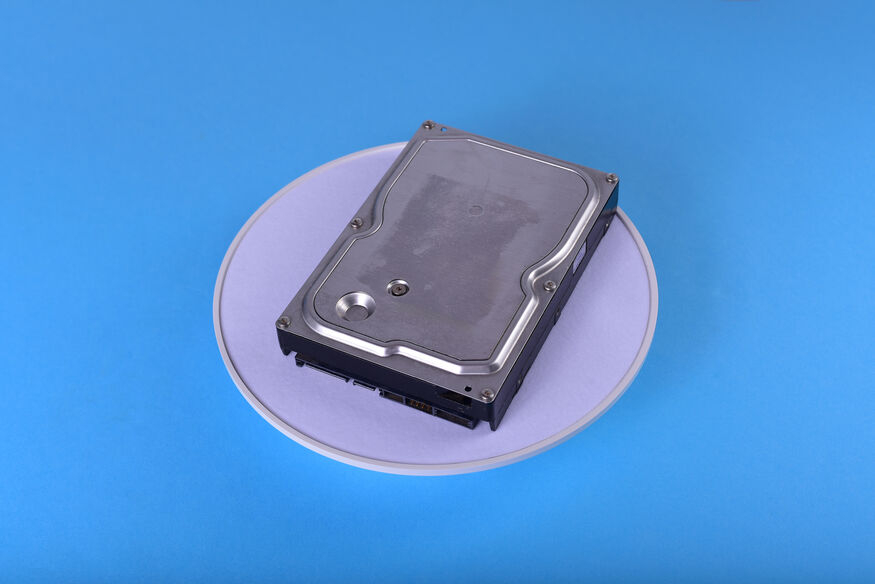
HDD stand for Hard Disk Drive. It is an old storage device that saves data on spinning magnetic disk. A small mechanical arm moves over the disk to read and write files.
HDDs have been used for many years in computers laptops servers and external drives. They are still popular because they give more storage space at a lower price.
If you want to store many videos photos movies documents or backups then HDD can be a good option. You can usually get more storage for less money compared to an SSD.
However HDDs are slower than SSDs. They also have moving parts. Because of this they can make noise and they can be damaged more easily if the device falls or gets a hard hit.
SSD vs HDD: Quick Comparison Table
| Feature | SSD | HDD |
| Full Name | Solid State Drive | Hard Disk Drive |
| Speed | Very fast | Slower |
| Technology | Flash memory | Spinning disk |
| Moving Parts | No | Yes |
| Noise | Silent | Can make noise |
| Durability | Better for movement | More sensitive |
| Price | Higher per GB | Lower per GB |
| Best For | Speed and performance | Large storage and backup |
| Power Use | Lower | Higher |
| Common Use | Laptops, gaming, OS, apps | Photos, videos, archives, backups |
Difference Between SSD and HDD
The real difference between SSD vs HDD is the way both drives save and open your data.HDD works with spinning disks. When you open any file the drive has to search for that file on the disk with the help of a small moving arm. This process takes a little time so the computer can feel slow.
SSD works in a different way. It store data on flash memory chips. There is no spinning disk and no moving arm inside it. SSD can open file much faster than an HDD.
You can feel this difference in daily use. A computer with an SSD starts quickly and apps also open faster. File transfer is also smoother. With an HDD Windows may take more time to start and heavy app can open slowly.
Speed: Which Is Faster?
SSDs are too much faster than HDD. This is the main reason many people move from HDD to SSD.
A computer with an HDD can take more time to start. Apps can also open slowly and file copying can take longer. But when you use an SSD the computer feel faster in daily use.
For example if Windows is installed on an SSD then the system starts quickly. Browser office apps and editing software also open faster. If you play games then an SSD can also help reduce loading time.
HDD is still useful for storing photos, videos and backups. But it is not the best choice for fast computer. If your laptop or PC feels slow then upgrading from HDD to SSD can make a big difference.
Storage Capacity: Which Gives More Space?
HDD usually gives more storage at a lower price. This is why many people still use HDDs today.
If you need 2TB, 4TB or even more space for videos movies photos or backups then HDD can be a budget friendly option.
SSD also comes in large storage sizes but high storage SSDs are usually more expensive. For many users 500GB or 1TB SSD is enough for Windows daily apps and important files.
The best setup is simple. Use an SSD for speed and daily work. Use an HDD for storing largefiles.
Price: Which Is Cheaper?
HDD is usually cheaper than SSD when we compare price per GB. This means you can get more storage space for less money with an HDD.
SSD prices are lower than before, but HDD is still a better option if your main need is large storage at a low price.
If your budget is low and you need more space then HDD can be good choice. If you have a better budget and want fast performance then SSD is the better option.
For most modern users SSD is worth the extra cost because it makes the whole computer feel faster and smoother.
Durability: Which Lasts Better?
SSD is usually more durable for daily use because it has no moving parts. This is helpful for laptop, travel, and portable external drives.
HDD has moving parts inside. If an HDD falls or gets a hard hit while it is working then it can get damaged more easily. This does not mean HDD is bad but it needs more care.
For desktop computers, HDDs can work well for many years because the system mostly stays in one place. But for laptops and portable use, an SSD is usually the better choice.
No matter which drive you use always keep a backup of your important files because any storage drive can fail.
Noise and Heat
SSD is silent because it has no moving part. It also usually uses less power and produces less heat.
HDD can make small spinning or clicking sounds because it has moving parts. It may also produce more heat during use.
For a quiet laptop or PC, SSD is better.
SSD vs HDD for Laptop
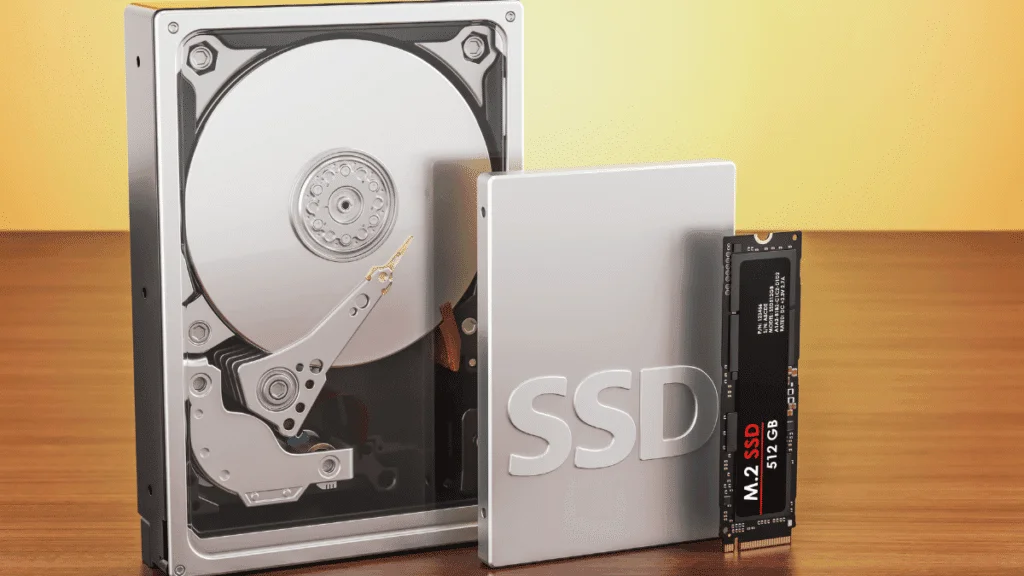
For laptops SSD is usually the better choice for most people. It make the laptop faster and smoother. It can also help with battery use and it handles movement better because there are no moving parts inside.
If your laptop still has an HDD then upgrading to an SSD can make a big difference. Windows can start faster. Apps can open quickly and the whole system can feel much better in daily use.
In the SSD vs HDD comparison SSD is better for laptops when you want fast startup better performance less noise better battery use and more safety during travel.
HDD is only a good laptop option if you need large storage at a low price and speed is not very important for you.
SSD vs HDD for Desktop PC
For desktop PCs both SSD and HDD can be useful. The best choice depends on your work and storage need.
If you want a fast desktop then install Windows and main apps on an SSD. This will make your system faster smoother and easier to use.
If you have many large files then you can add an HDD for extra storage. This setup gives you both speed and space.
A good desktop setup can be 500GB SSD for Windows and apps and 1TB or 2TB HDD for photos videos and backups.
In the SSD vs HDD comparison many desktop users get the best result by using both together. For gaming editing or heavy work a 1TB NVMe SSD can give better performance.
SSD vs HDD for Gaming
For gaming SSD is usually the better choice if you want faster loading. Games installed on an SSD can open faster and maps can load more quickly.
But SSD does not always increase FPS. FPS mostly depends on your graphics card processor and RAM. SSD mainly helps with loading speed and better system response.
If you play modern games then SSD is highly recommended. Many new games are large and they run better from fast storage.
A good gaming setup is simple. Use SSD for Windows and your favorite games. Use HDD for extra games videos and other media files.
In the SSD vs HDD comparison SSD is better for gaming performance and loading speed. If your budget allows then choose a 1TB SSD for gaming.
SSD vs HDD for Video Editing
For video editing, SSD is much better for active projects. Editing software needs fast access to video files, previews, and project data. An SSD can make editing smoother and faster.
HDD can still be useful for storing old projects and raw video files. If you edit videos often, use SSD for current work and HDD for archive storage.
Best setup for video editors:
NVMe SSD for active projects
HDD for old videos and backups
This gives both speed and large storage.
SSD vs HDD for Backup
For backup HDD is still a good option because it gives large storage at a lower price. If you want to store family photos videos documents or system backups then an external HDD can be a budget friendly choice.
SSD backup drives are faster and more durable but they are more expensive. If you travel with your backup drive then an external SSD can be a better option.
In the SSD vs HDD comparison HDD is good for home backup and large storage. SSD is better for portable backup and travel use.
SATA SSD vs NVMe SSD
SSDs come in different types and they do not all give the same speed. The two common options are SATA SSD and NVMe SSD.
SATA SSD is a good choice for older laptop and desktop computer. It is much faster than an HDD and can make the system feel smoother. If your computer does not support NVMe then a SATA SSD is still great upgrade.
An NVMe SSD is faster than a SATA SSD. It is mostly used in modern laptops gaming PCs and new desktop computers. It works through PCIe and gives better speed for gaming editing and heavy tasks.
If you want a simple upgrade at a lower price then SATA SSD is a good option If your system supports NVMe and you want faster speed then NVMe SSD is the better option.
Both SATA SSD and NVMe SSD are faster than HDD in the SSD vs HDD comparison. But if we talk about top performance then NVMe SSD is the best option.
Pros and Cons of SSD
Pros
SSD is very fast.
It makes your computer start quickly.
It opens apps faster.
It is silent.
It has no moving parts.
It is better for laptops and travel.
It uses less power.
Cons
SSD is more expensive per GB.
Large SSDs can cost more.
Cheap SSDs may have lower quality.
Pros and Cons of HDD
Pros
HDD gives more storage for less money.
It is good for large files.
It is useful for backups.
It is available in large capacities.
Cons
HDD is slower.
It has moving parts.
It can make noise.
It is more sensitive to drop.
Which Is Better SSD or HDD?
Choose SSD if you want speed fast and better performance. It is a better option for Windows apps gaming study office work and daily use.
HDD is a good choice when you need large storage at lower price. It is useful for saving movies photos backups and old files.
You can also use both if you want a good balance. Keep your operating system and important apps on SSD. Use HDD for large files videos and backup.
In the SSD vs HDD comparison the best choice for most people today is SSD as the main drive.
Best Storage Choice by User Type
For Students
SSD is better. It helps laptops start faster and run smoothly.
For Office Users
SSD is better because it improves daily work speed.
For Gamers
SSD is better for favorite games and faster loading.
For Video Editors
NVMe SSD is better for active editing projects.
For Backup Storage
HDD is better if you need large storage at a lower cost.
For Travelers
SSD is better because it is lighter and more durable.
Conclusion
SSD vs HDD becomes easy to understand when you know what you really need. SSD is the better choice if you want speed quiet use and smooth performance. HDD is better if you want more storage at a lower price.
If you are buying a new laptop or PC then choosing SSD is a smart option. If your old computer still has an HDD then upgrading to SSD can make it feel much faster.
HDD is still useful when you need to store large files photos videos movies and backups. Many people get the best result by using both drives together. SSD can be used for Windows apps and daily work while HDD can be used for large storage.
In simple words choose SSD for performance. Choose HDD for storage. Choose both if you want speed and value in one setup.